



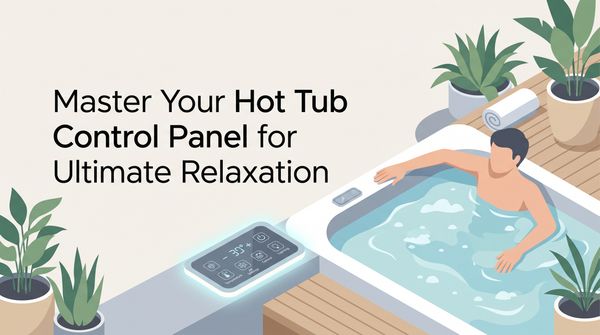
A great soak leans on a quiet bit of technology working behind the scenes. At the center of it sits the control panel—a simple-looking screen that runs your whole setup. It's how you shape your soak: change the temperature, run the jets, set the lighting, all with a touch.
Modern panels are sleek, and most have digital displays that make even complex systems easy to run. Whether you love gadgets or like to keep things simple, there's a design that fits.
The panel is wired to keep everything running smoothly, talking to the heater, pumps, and sensors. Each button isn't just a switch. It's a command that kicks off a chain of actions to hold the right balance of temperature and cleanliness. Get to know this hub and you'll use your hot tub better—not just for a good soak, but for safe, efficient use too.
Your Action Plan
- Get to know each button: blower, jets, lights, and temperature.
- Set your water temperature, up to the safe max of 104°F.
- Read any error codes on the display, like OH, HH, or GFCI.
- Check power, wiring, and connections when the panel won't respond.
- Clean and dry the sensors and connectors to fix odd readings.
- Replace the panel with a compatible model, or call a pro, if the fixes don't work.
Master Hot Tub Controls
Using your control panel is a bit like conducting a small orchestra, where each button handles a different part of your soak. Here's the quick tour of what you'll find.
The buttons you'll use most
The blower sends a soft stream of air across the water, giving you gentle bubbles that are lighter than the jets. The lights do more than brighten things up; on many models you can change the color and dim them to set the mood for a quiet night. The jets are the main event, running from a light massage to a strong whirlpool, often with separate buttons for different zones. And the temperature control lets you dial in the exact warmth you want, usually up to a safe maximum of 104 degrees Fahrenheit.
When something looks off
The panel also points you toward problems. A flickering display often means a voltage issue, while a dead screen can be a loose connection. Once you know these controls, your hot tub stays the treat it's meant to be.
Once you know what the blower, jets, lights, and temperature buttons do, everything else on the panel starts to make sense.
Navigate Common Control Functions
Think of the panel as your co-pilot. Each button and reading is a way to shape your soak—warmth, mood, and how strong the bubbles run. On bigger tubs, multiple jet zones mean everyone gets the massage they're after, and being able to nudge the temperature keeps you comfortable through the year. Get these basics down and your hot tub goes from a tub of water to a spot that's truly yours.
Troubleshoot Control Panel Issues
When the panel acts up, it can feel like your evening's off track. Most fixes are simpler than they look.
Start with the simple stuff
A dark display often just has a loose connection—tightening a few screws or reseating the connectors usually brings it back. If the screen stays dark, check for a blown fuse. Swapping that tiny part might be all it takes to get you back in the bubbles.
Codes and sensor trouble
Error messages like "OH" or "OHH" mean the water is overheating. Shut off the power, pull the cover, and let the water cool. Once it's safe, a system reset usually clears the warning. Temperature readings that jump around often point to a sensor throwing off wrong numbers because of dust or moisture—clean it, dry it, and you're usually set. If the panel is slow or keeps flickering, check the voltage and wiring.
Replace Your Control Panel
Swapping a worn-out panel for a new one can bring your hot tub back to life. It sounds like a big job, but with patience and the right tools it's a doable weekend project.
Before you start
Always make sure the power to your hot tub is completely off. You're working with electrical parts near water, so this step matters. Remove the old panel—usually a few screws and a set of wires—and snap a photo before you unhook anything so reassembly goes smoothly. Match the new panel to your tub in both size and the features it supports.
Wiring it back up
Match each wire from the control box to the right terminal, and screw them down tight so nothing works loose. Reattach the panel, turn the power back on, and test the jets, blower, lights, and temperature. Each button should respond right away.
One quick note: rewiring a panel near water isn't for everyone. If you're not comfortable working with wires, it's completely fine—and safer—to call a licensed electrician or spa tech.
If you're not comfortable working with wiring near water, calling a pro is the safer choice, and there's nothing wrong with that.
Troubleshoot Common Panel Issues
A panel that won't cooperate can stop a soak cold, but getting your spa working again is usually a few steps away. Check the display for codes you don't recognize. "HH," "OH," or "OHH" mean the water is overheating—pull the cover to let the heat out, switch off the power, and let it cool before you reset. If the panel goes completely quiet, suspect a loose connection first; if the wiring looks fine, a faulty wire may need replacing. Wrong readings usually trace back to moisture or dirty connections, and a dim display can often be revived with a new backlight. When simple fixes don't cut it, a compatible replacement panel is the answer.
Troubleshoot Error Messages
Each error code is a clue, pointing you toward a problem so you can fix it before it cuts into your soak.
Reading the codes
When the panel flashes "GFCI" or "GFI," it's pointing at the hot tub's built-in safety breaker—the switch that cuts power the instant it senses an electrical fault, so you don't get a shock. A reset might clear a minor glitch, but if it keeps tripping, call a pro to keep things safe. "OH" or "OHH" mean overheating; take off the cover and shut the system down so the water can drop the heat on its own.
Blank screens and bad numbers
A blank panel usually means a loose connection, so check the wiring and make sure everything's seated. Flickering or wrong numbers often come from uneven voltage or moisture getting in—clean the connections and check for leaks. If you end up replacing the panel, match it to your tub and follow the safety steps.
An overheating code like OH is a safety warning, not a nuisance, so pull the cover and cut the power before you get in.
Fix Unresponsive Control Panel
When the panel plays hard to get, work through it step by step. Start with the power supply—a loose plug or a tripped breaker is often the cause. If power's fine and the panel still won't respond, check for obvious damage and wipe the surface with a dry cloth so no moisture is trapped in the gaps. If you can safely reach the back, look over the wiring for anything loose or corroded. Still nothing? Try a reset—many panels have a reset button or a button sequence you'll find in the manual. If that fails, it's time to call a pro or think about a replacement.
Address Display Issues
A glitchy panel can be as jarring as an unexpected cold jet, but it's easier to deal with once you know where to look. Start with the connections—a loose wire or corroded terminal can cause a screen that won't respond or keeps flickering. Disconnect the panel, clean off dust and moisture, and make sure every wire is snug. A dim, hard-to-read display often means a failing backlight, usually a quick screwdriver job to replace. Wrong temperatures point to dust or moisture fooling the sensors. And a panel that flickers like an old sign can mean uneven voltage—check the power connection, and if that doesn't help, talk to an electrician. When nothing works, pick a replacement that matches your tub's specs.
Adjust Temperature with Ease
Changing your hot tub's temperature should feel as easy as pulling on a favorite blanket. On most tubs the setting is front and center—a button to press or a dial to turn. Treat the panel like a thermostat: a quick tap nudges the water warmer, another cools it down, and modern tubs cap out at 104 degrees Fahrenheit for safety. There's something nice about matching the water to the evening. When a cold breeze cuts through the night, a warmer setting turns the tub into a pocket of heat; on summer nights, a cooler soak feels great after a day in the sun.
Master Hot-Tub Control Functions
The heart of a good soak is knowing your way around the panel. Today's versions blend the tech and the comfort nicely, so there's no fumbling with manual controls. Whatever your model, the point is the same: control at your fingertips. Lean on the readouts, too. If you see "HH" or "OH," knowing they mean overheating water is the difference between a safe soak and one that's far too hot. Pulling the cover during an overheat alert is a simple move that can save your evening.
When a stubborn panel cuts your soak short, most problems are just bumps in the road. A panel that won't respond is often a connection issue—snug up the wiring and it usually wakes back up. Strange messages like "OH" or "HH" are overheating warnings; lift the lid, let it cool, then reset. A dim display may need a new backlight, about as simple as changing a light bulb. Flickering can mean uneven voltage, so check that the connections are clean and tight. And when the simple fixes run out, a compatible replacement panel is a fair DIY job.
Optimize Your Spa Experience
Getting the most from your spa starts with understanding this hub. Each button shapes your soak—dial the jets down to a gentle massage, dim the lights to a soft shade, or nudge the temperature a few degrees to warm a chilly evening or cool a sun-soaked afternoon. Take a moment to explore and try things out. Getting comfortable with the panel is what turns each visit into a little ritual you look forward to.
Maximize Jet and Blower Settings

A great spa session leans on those two settings, so it's worth learning how they feel.
Fine-tuning the jets
The jets are usually the stars—the massage that works out the day's tension. On many models, a series of button presses takes you from a gentle touch to a strong blast, so you can hit sore muscles with just the right pressure. If you've got a nagging ache in your back, a few tweaks can turn an ordinary soak into a real massage session.
Adding the blower
The blower brings a softer, more ambient feel—air pushed into the water for bubbles that swirl and tickle. It's perfect for evenings when you want calm over intensity. Balancing the two lets you match any mood, whether that's a lively jet massage or a quiet soak in the bubbles.
Optimize Control Panel Use
A well-set-up panel doesn't just feel better—it helps the tub last longer and run more efficiently. If yours has programmable settings, build a routine that fits your life: a gentle morning massage, a strong evening wind-down, a calming blue for a night soak. It's also worth checking the maintenance options. Some panels remind you about routine tasks like filter changes, and keeping the panel clean and dry heads off problems before they start.
A clean, dry control panel that's set up for your routine will run more efficiently and last longer.
The panel is the quiet workhorse of any hot tub, but even workhorses have off days. A GFI or GFCI message is more than an annoyance—it's a warning that water and electricity might be mixing when they shouldn't, and it's worth calling a pro rather than gambling on a DIY fix. Overheating alerts like "HH" or "OH" mean the water's too warm; pull the cover, shut the system down, and reset once it's settled. A blank panel usually wants a reconnection, odd numbers often trace to moisture, and a flickering screen points to uneven voltage or loose wires. If the trouble sticks around past the simple fixes, a compatible replacement will get you back to running the way you should.
Adjust Jet and Blower Effectively
Adjusting the jets and blower can turn an ordinary soak into something restorative. Most panels give the jets and blower their own buttons, so you can set each to match your mood. Press the jet button once for a low setting, then again to bump up the intensity until the water's pulsing against tight muscles. The blower fills the tub with soft bubbles instead—great for a quiet evening under the stars. Spend a little time finding the mix that feels best. On more advanced tubs you may even find preset programs for relaxing, muscle recovery, or an energy boost. There's no wrong way to do it.
Illuminate Your Spa Experience
Knowing your panel can take your spa time from ordinary to special. Panels range from simple to advanced, so you can shape your soak to fit what you like. A soft glow for a moonlit soak, a stronger jet setting on a cold winter night with steam rising around you, the temperature dialed to just right—it all comes down to a few taps. Get comfortable with this little piece of tech and let it guide you to a restful soak every time.
Master Your Control Panel
The panel is the nerve center of the whole tub, giving you command over every bubble, jet, and light. My first time using one felt like getting a new gadget, with something hidden behind each button. Some panels are simple, with a single button; others have up to eight options. Troubleshooting is often easier than you'd expect—a flickering display might just be a loose connection, and an unresponsive panel might only need cleaning or a wiring check. With a little patience, getting comfortable with your panel keeps the hot tub fun, safe, and efficient.
Conclusion
Get to know your hot tub's control panel and the rest of spa care starts to feel simple. From setting the temperature to reading an error code, you've got what you need to keep every soak safe and easy.
What you need
Keep a compatible replacement control panel, a screwdriver, and a clean dry cloth on hand, and a spare fuse doesn't hurt for those dead-screen moments.